


Best Video Platforms for Secure Online Psychotherapy

Table of Contents
Why Video Platform Choice Matters for Online Psychotherapy
Secure Video Conferencing for Therapists: Core Security Features
Encryption and data protection standards
UK compliance and data residency
Privacy for Online Therapy Sessions: What Clinicians Need
Session recording and access controls
Waiting rooms and session isolation
Online Psychotherapy Technology Requirements: Getting Started
Bandwidth, hardware, and connection reliability
Screen sharing and file handling for clinical notes
How to Prepare for Online Therapy: A Practical Checklist
Environment setup and technical troubleshooting
Testing before your first session
Video Quality and Reliability for Therapeutic Work
Comparing Platforms: What to Evaluate
Ease of access for clients
Therapist support and integration with practice management
Common Mistakes When Selecting a Video Platform
Frequently Asked Questions
Last Updated: October 10, 2026
Why Video Platform Choice Matters for Online Psychotherapy
Selecting the right video platform is one of the most critical decisions a psychotherapist makes when offering remote sessions. At Mill Hill Counselling, we understand that the best video platforms for secure online psychotherapy must balance ease of use with strong security features that protect sensitive clinical conversations.
When a client logs in to begin their session, they're entrusting you with deeply personal information. The platform you've selected either reinforces that trust or undermines it. A poor choice can mean dropped connections mid-session, unclear audio that forces clients to repeat themselves, or worse, security vulnerabilities that expose their data to unauthorised access.
Pro Tip Before choosing any platform, ask yourself: would I feel confident if a client asked me exactly how their session data is protected and where it's stored? If you can't answer that question clearly, the platform isn't right for psychotherapy.
Secure Video Conferencing for Therapists: Core Security Features
The foundation of any video platform suitable for psychotherapy is encryption. End-to-end encryption means that your conversation is scrambled in a way that only you and your client can read it, not even the platform provider can access the content of your sessions. This is non-negotiable for therapeutic work.
Encryption and data protection standards
End-to-end encryption protects the actual content of your video and audio during transmission. Look for platforms that use industry-standard encryption protocols such as TLS (Transport Layer Security) for data in transit and AES-256 for data at rest. These aren't marketing buzzwords, they're the technical standards that financial institutions and healthcare providers rely on.
Data residency matters in the UK context. Your clients' information should be stored on servers within the UK or European Economic Area, ensuring that their data falls under UK data protection law rather than being transferred to jurisdictions with weaker privacy standards. The UK Information Commissioner's Office guidance on international data transfers clarifies the legal requirements for where client data can be stored.
UK compliance and data residency
As a psychotherapist in the UK, you're bound by the Data Protection Act 2018 and the UK GDPR (Data protection: The UK's data protection legislation). Your choice of video platform directly affects your compliance obligations.
Ask the platform provider: Do they sign a DPA? Where are their servers located? What happens to session recordings after you delete them? These aren't optional questions, they're part of your professional duty of care to your clients. A platform that can't answer these clearly isn't suitable for clinical work.
Privacy for Online Therapy Sessions: What Clinicians Need
Privacy in online therapy extends beyond encryption. It includes controlling who can see your client waiting to join, managing session recordings, and ensuring that your client's presence on the platform isn't visible to others.
Session recording and access controls
Many platforms offer session recording as a feature, but for psychotherapy, this requires careful consideration. If you do record sessions, you must have explicit written consent from your client, and you must be able to control exactly who can access those recordings and for how long they're retained.
The best video platforms for secure online psychotherapy allow you to disable recording entirely if you choose, and they make it visually clear to both you and your client whether recording is active. Ambiguity here is dangerous, your client needs to know, and you need proof that they knew.
Waiting rooms and session isolation
A waiting room feature allows your client to join the platform and wait for you to admit them into the actual session. This prevents them from accidentally entering a session early or from being visible to other clients who might be using the platform at the same time. Session isolation ensures that if you're running back-to-back sessions, one client cannot see or hear the previous one.
Watch Out Without a waiting room, a client could join early and overhear fragments of your previous session or see your desktop if you're not careful about screen sharing. This is a serious privacy breach. Always use a platform with waiting room functionality.
Online Psychotherapy Technology Requirements: Getting Started
The technical demands of online psychotherapy are modest but non-negotiable. You need reliable bandwidth, hardware that won't fail mid-session, and the ability to share clinical notes or documents securely when needed.
Bandwidth, hardware, and connection reliability
A stable internet connection of at least 2.5 Mbps upload and download speed is the minimum for reliable video therapy. This sounds straightforward, but many home broadband connections fluctuate, especially on shared networks. Test your connection before your first session with a client. Use a wired ethernet connection rather than WiFi if possible, it's more stable and less prone to interference.
Your hardware matters too. A built-in laptop camera and microphone are functional but often produce poor audio quality, which forces clients to strain to hear you. A USB webcam (£30-60) and a dedicated microphone (£40-80) make a significant difference in how professional and clear your sessions sound.
Screen sharing and file handling for clinical notes
You may need to share documents with your client during sessions, perhaps a worksheet, a psychoeducational handout, or notes about your previous discussion. The best video platforms for secure online psychotherapy allow you to share your screen securely without accidentally exposing other files or sensitive information on your desktop.
Before you share your screen, close any applications or browser tabs that contain client information, banking details, or personal data. Screen sharing is a common source of accidental privacy breaches. Some platforms allow you to share only a specific window rather than your entire screen, which is safer.
How to Prepare for Online Therapy: A Practical Checklist
Setting up your environment properly is as important as choosing the right platform. Your client will form impressions based on what they see and hear, and a professional setup reinforces the therapeutic frame.
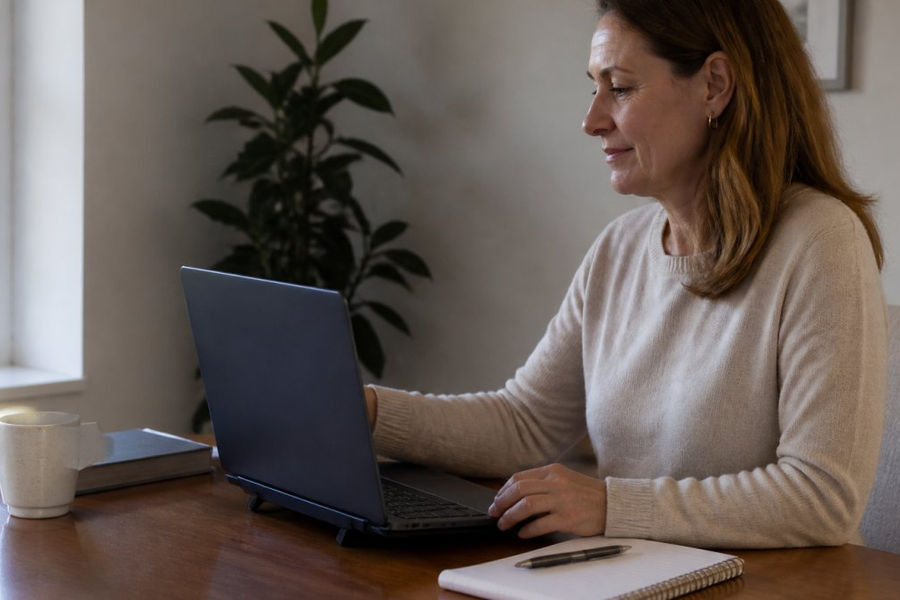
Establishing a consistent routine for these sessions is particularly vital when coordinating
online psychiatry services
for younger patients who require a stable and predictable environment to thrive.
Environment setup and technical troubleshooting
Position your camera at eye level, looking down at a camera makes you appear less present and engaged. Ensure your background is professional and neutral; a blank wall or a bookshelf works well. Avoid cluttered backgrounds, bright windows behind you (which create backlighting), or anything that might distract your client from the conversation.
Lighting matters more than most therapists realise. Natural light from a window to the side of your face is ideal. If you rely on artificial light, position a lamp so it illuminates your face evenly without creating harsh shadows. Test your setup by doing a practice video call with a colleague or friend, ask them what they see and hear.
Testing before your first session
Log in 10 minutes early to every session. Test your camera, microphone, and speaker. Confirm that your internet connection is stable. Have your client's contact details ready in case you need to call them if the video connection fails. Most importantly, ensure that you're alone in your space and that you won't be interrupted, this is part of maintaining the therapeutic frame.
Key Takeaway The technical setup is invisible when it works well. Your client shouldn't be thinking about your video quality or audio clarity, they should be focused entirely on the conversation with you.
Video Quality and Reliability for Therapeutic Work
Video quality in online therapy isn't about high definition for its own sake. It's about being able to see your client's facial expressions clearly enough to notice subtle shifts in their emotional state.
Platforms that adapt video quality based on available bandwidth are preferable to those that maintain high resolution at the cost of freezing or stuttering. A smooth, lower-resolution connection is better than a high-definition connection that keeps dropping.
Reliability means uptime. The platform should have a documented uptime guarantee of at least 99.5%, which translates to no more than a few hours of downtime per year.
Comparing Platforms: What to Evaluate
When evaluating the best video platforms for secure online psychotherapy, use a consistent set of criteria across each option you're considering.
Ease of access for clients
Your client should be able to join a session with minimal friction. Ideally, they click a link in an email or calendar invite and are connected within seconds, no app installation required, no account creation, no technical knowledge needed.
Test the client experience yourself by asking a trusted colleague to join a test session using just the link you'd send. Can they find the waiting room? Is it clear when they're connected? Do they understand how to leave the session? If the answer to any of these is no, the platform isn't suitable.
Therapist support and integration with practice management
Does the platform offer customer support during your working hours? Email support that takes 48 hours to respond isn't helpful when you're troubleshooting a technical issue 10 minutes before a session. Look for platforms that offer phone or live chat support, ideally during UK business hours.
Integration with your practice management system, where you store client notes, appointment schedules, and billing information, saves time and reduces the chance of errors. Some platforms integrate directly with popular practice management software; others require manual coordination. Direct integration is preferable.
Evaluation Criterion | What to Look For | Why It Matters |
Encryption | End-to-end encryption, TLS/AES-256 standards | Protects session content from unauthorised access |
Data residency | UK or EEA servers, Data Processing Agreement | Ensures compliance with UK GDPR |
Waiting room | Client joins waiting area before entering session | Prevents accidental exposure to previous sessions |
Screen sharing | Ability to share specific windows only | Reduces risk of accidentally exposing sensitive files |
Client experience | Link-based access, no app required | Removes barriers for less tech-savvy clients |
Support | Phone or live chat during UK business hours | Ensures help is available when you need it |
Common Mistakes When Selecting a Video Platform
Many therapists choose platforms based on cost or popularity without considering whether they're actually suitable for clinical work.
Another frequent error is failing to test the platform thoroughly before using it with real clients. You might discover mid-session that the audio quality is poor, that your client can see your desktop when you screen-share, or that the connection drops regularly.
Some therapists also neglect to document their choice of platform and their security measures in their practice policies.
Selecting a video platform for online psychotherapy is a decision that affects both your professional credibility and your clients' sense of safety.
Frequently Asked Questions
What makes a video platform suitable for secure online psychotherapy?
A suitable platform combines end-to-end encryption, UK data residency compliance, and controls that prevent unauthorised access to sessions. Look for platforms with waiting rooms to isolate sessions, no automatic recording without consent, and clear privacy policies aligned with confidentiality requirements. Reliable video and audio quality are equally important, therapeutic work depends on clear communication and uninterrupted connection.
How do I check whether an online therapy video call is private?
Before your first session, ask your therapist about encryption, data storage location, and whether sessions are recorded. Test the platform's settings: verify waiting room features, check privacy controls, and confirm that only you and your therapist can access the session. Request written confirmation of their privacy practices and data protection compliance. A reputable provider will answer these questions clearly and provide documentation.
What equipment do I need for a video therapy session?
You need a device with a camera and microphone (laptop, tablet, or smartphone), a stable internet connection, and a private, quiet space. A headset or earbuds improves audio quality and privacy. Ensure adequate lighting so your therapist can see your face clearly. Test your equipment 10-15 minutes before your appointment to check audio, video, and connection stability.
How can I prepare for online psychotherapy to get the most from it?
Set up a private, comfortable space free from interruptions. Test your technology beforehand, including internet speed, camera, and microphone. Arrive a few minutes early to settle in. Treat online sessions with the same commitment as in-person appointments, they are equally valuable for exploring your thoughts and feelings. Bring any notes or topics you want to discuss, and be honest about what you're experiencing.
Contact Me



Comments